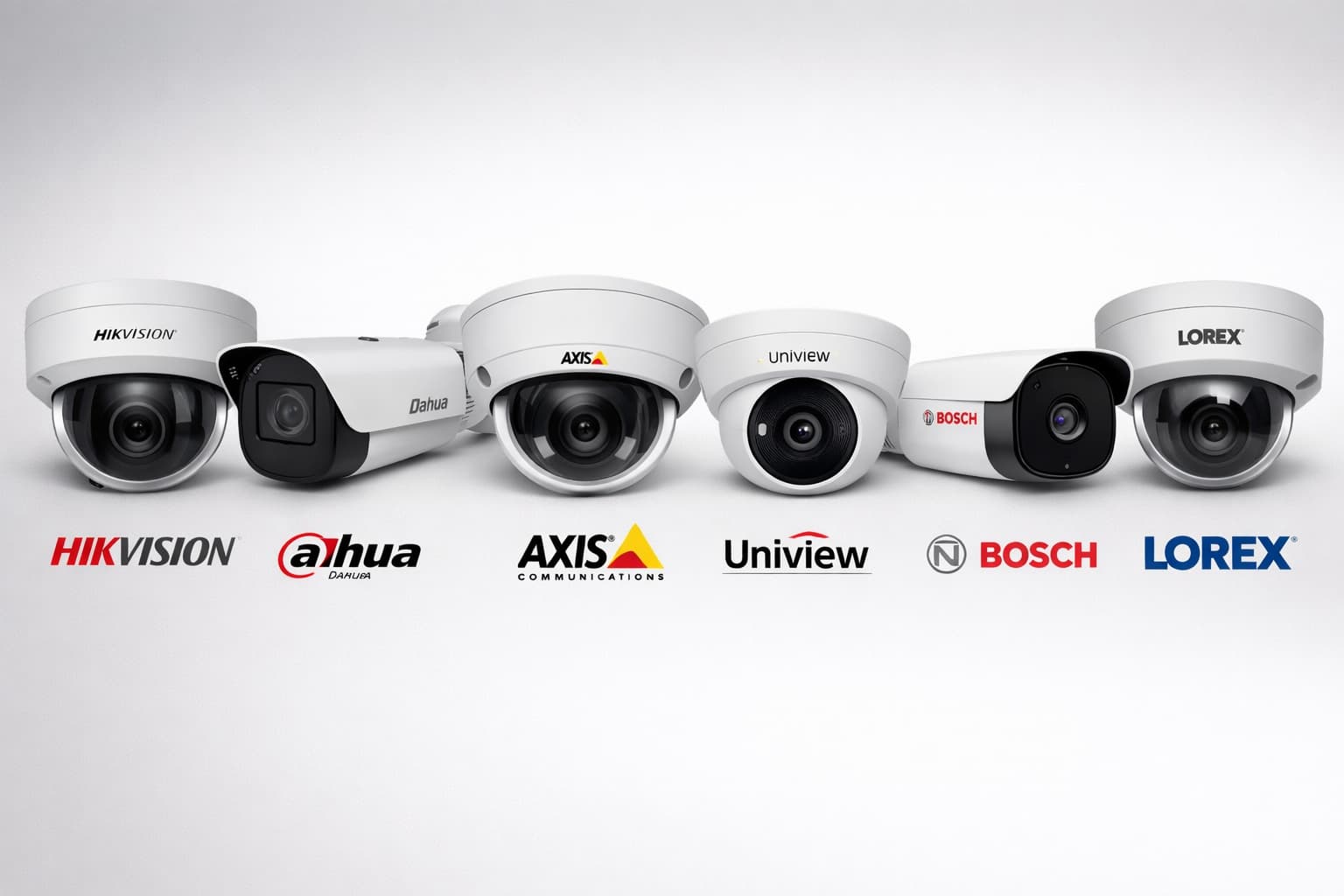
RTSP URL Lookup Tool
Search for your camera brand and instantly generate RTSP URLs with your camera's connection details.
Configure Your Camera Details
Enter your camera's connection details to generate custom RTSP URLs
Hikvision
rtsp://username:password@IP_address:554/Streaming/Channels/[channel]
Main Stream
/Streaming/Channels/101Sub Stream
/Streaming/Channels/102Dahua
rtsp://username:password@IP_address:554/cam/realmonitor?channel=[channel]&subtype=[stream]
Main Stream
/cam/realmonitor?channel=1&subtype=0Sub Stream
/cam/realmonitor?channel=1&subtype=1Axis
rtsp://username:password@IP_address:554/axis-media/media.amp
Main Stream
/axis-media/media.ampSub Stream
/axis-media/media.amp?profile=Profile2Bosch
rtsp://username:password@IP_address:554/videoinput_[channel]_[stream]_overlay.data
Main Stream
/videoinput_1_1_overlay.dataSub Stream
/videoinput_1_2_overlay.dataSony
rtsp://username:password@IP_address:554/[stream]
Main Stream
/stream1Sub Stream
/stream2Panasonic
rtsp://username:password@IP_address:554/nphMpeg4/[stream]
Main Stream
/nphMpeg4/1/mainSub Stream
/nphMpeg4/1/subVivotek
rtsp://username:password@IP_address:554/[stream]
Main Stream
/live.sdpSub Stream
/stream2Foscam
rtsp://username:password@IP_address:554/videoMain
Main Stream
/videoMainSub Stream
/videoSubReolink
rtsp://username:password@IP_address:554/h264Preview_[channel]_[stream]
Main Stream
/h264Preview_01_mainSub Stream
/h264Preview_01_subAmcrest
rtsp://username:password@IP_address:554/cam/realmonitor?channel=[channel]&subtype=[stream]
Main Stream
/cam/realmonitor?channel=1&subtype=0Sub Stream
/cam/realmonitor?channel=1&subtype=1Uniview
rtsp://username:password@IP_address:554/[stream]
Main Stream
/Streaming/Channels/101Sub Stream
/Streaming/Channels/102Hanwha (Samsung)
rtsp://username:password@IP_address:554/[stream]
Main Stream
/stream1Sub Stream
/stream2TP-Link
rtsp://username:password@IP_address:554/stream1
Main Stream
/stream1Sub Stream
/stream2CP-Plus
rtsp://username:password@IP_address:554/Streaming/Channels/[channel]
Main Stream
/Streaming/Channels/101Sub Stream
/Streaming/Channels/102Avigilon
rtsp://username:password@IP_address:554/Streaming/Channels/[channel]
Main Stream
/Streaming/Channels/101Sub Stream
/Streaming/Channels/102Verkada
rtsp://username:password@IP_address:554/Streaming/Channels/[channel]
Main Stream
/Streaming/Channels/101Sub Stream
/Streaming/Channels/102Mobotix
rtsp://username:password@IP_address:554/[stream]
Main Stream
/axis-media/media.ampSub Stream
/axis-media/media.amp?streamprofile=lowUNV
rtsp://username:password@IP_address:554/Streaming/Channels/[channel]
Main Stream
/Streaming/Channels/101Sub Stream
/Streaming/Channels/102Intelbras
rtsp://username:password@IP_address:554/[stream]
Main Stream
/cam/realmonitor?channel=1&subtype=0Sub Stream
/cam/realmonitor?channel=1&subtype=1Illustra
rtsp://username:password@IP_address:554/[stream]
Main Stream
/Streaming/Channels/101Sub Stream
/Streaming/Channels/102i-Pro
rtsp://username:password@IP_address:554/[stream]
Main Stream
/Streaming/Channels/101Sub Stream
/Streaming/Channels/102RTSP (Real-Time Streaming Protocol) URLs are essential for connecting IP cameras to video management systems, AI platforms like Visionify, and other streaming applications.
Use the RTSP URL Lookup Tool above to quickly find the correct URL format for your camera brand. Simply search for your camera brand, enter your camera's connection details, and get instant RTSP URLs ready to use.
Understanding RTSP URLs
An RTSP URL typically follows this format:
rtsp://[username]:[password]@[IP_address]:[port]/[path]
Components:
- Protocol:
rtsp://(always required) - Username: Camera login username (often
adminby default) - Password: Camera login password
- IP Address: The camera's IP address on your network
- Port: RTSP port (usually
554by default) - Path: Camera-specific stream path (varies by brand and model)
Supported Camera Brands
The lookup tool above supports the following camera brands:
- Hikvision - One of the most popular IP camera brands
- Dahua - Widely used in commercial and residential settings
- Axis - Professional-grade network cameras
- Bosch - Enterprise security cameras
- Sony - High-quality IP cameras
- Panasonic - Professional surveillance cameras
- Vivotek - Network camera solutions
- Foscam - Affordable IP cameras
- Reolink - Modern IP camera systems
- Amcrest - Consumer and commercial cameras
- Uniview - Video surveillance solutions
- Hanwha (Samsung) - Enterprise security cameras
- TP-Link - Network camera products
Use the RTSP URL Lookup Tool at the top of this page to find the exact URL format for your camera brand.
How to Use the Lookup Tool
- Search for your camera brand using the search bar
- Click on your camera brand from the results
- Enter your camera details:
- IP Address (e.g., 192.168.1.100)
- Username (usually "admin")
- Password
- Port (usually 554)
- Copy the generated RTSP URL for either main stream (high quality) or sub stream (lower quality)
- Test the URL in VLC Media Player or your video management system
Detailed Brand Information
Hikvision
Hikvision cameras are among the most popular IP cameras. The RTSP URL structure varies by model and firmware version.
Generic Structure:
rtsp://username:password@IP_address:554/Streaming/Channels/[channel]
Common Formats:
- Main Stream (High Quality):
rtsp://admin:password@192.168.1.100:554/Streaming/Channels/101 - Sub Stream (Lower Quality):
rtsp://admin:password@192.168.1.100:554/Streaming/Channels/102 - Alternative Format (Older Models):
rtsp://admin:password@192.168.1.100:554/h264/ch1/main/av_stream rtsp://admin:password@192.168.1.100:554/h264/ch1/sub/av_stream - DS-2CD Series:
rtsp://admin:password@192.168.1.100:554/Streaming/Channels/1
Channel Numbers:
- Channel 101 = Main stream, camera 1
- Channel 102 = Sub stream, camera 1
- Channel 201 = Main stream, camera 2
- Channel 202 = Sub stream, camera 2
Dahua
Dahua cameras use a similar structure to Hikvision but with different path formats.
Generic Structure:
rtsp://username:password@IP_address:554/cam/realmonitor?channel=[channel]&subtype=[stream]
Common Formats:
- Main Stream:
rtsp://admin:password@192.168.1.100:554/cam/realmonitor?channel=1&subtype=0 - Sub Stream:
rtsp://admin:password@192.168.1.100:554/cam/realmonitor?channel=1&subtype=1 - Alternative Format:
rtsp://admin:password@192.168.1.100:554/channel1/stream0
rtsp://admin:password@192.168.1.100:554/channel1/stream1
Stream Types:
subtype=0= Main stream (high quality)subtype=1= Sub stream (lower quality, lower bandwidth)
Axis
Axis cameras typically use a simpler RTSP URL structure.
Generic Structure:
rtsp://username:password@IP_address:554/axis-media/media.amp
Common Formats:
- Main Stream:
rtsp://admin:password@192.168.1.100:554/axis-media/media.amp - With Profile:
rtsp://admin:password@192.168.1.100:554/axis-media/media.amp?profile=Profile1 - Alternative Format:
rtsp://admin:password@192.168.1.100:554/mpeg4/media.amp
Note: Axis cameras often have multiple profiles. Check the camera's web interface to see available profiles.
Bosch
Bosch cameras use a specific RTSP path structure.
Generic Structure:
rtsp://username:password@IP_address:554/videoinput_[channel]_[stream]_overlay.data
Common Formats:
- Main Stream:
rtsp://admin:password@192.168.1.100:554/videoinput_1_1_overlay.data - Sub Stream:
rtsp://admin:password@192.168.1.100:554/videoinput_1_2_overlay.data
Stream Numbers:
- Stream 1 = Main stream
- Stream 2 = Sub stream
Sony
Sony IP cameras have a straightforward RTSP URL format.
Generic Structure:
rtsp://username:password@IP_address:554/[stream]
Common Formats:
- Main Stream:
rtsp://admin:password@192.168.1.100:554/stream1 - Sub Stream:
rtsp://admin:password@192.168.1.100:554/stream2
Panasonic
Panasonic cameras use a simple path structure.
Generic Structure:
rtsp://username:password@IP_address:554/nphMpeg4/[stream]
Common Formats:
- Main Stream:
rtsp://admin:password@192.168.1.100:554/nphMpeg4/1/main - Sub Stream:
rtsp://admin:password@192.168.1.100:554/nphMpeg4/1/sub
Vivotek
Vivotek cameras typically use this format:
Generic Structure:
rtsp://username:password@IP_address:554/[stream]
Common Formats:
- Main Stream:
rtsp://admin:password@192.168.1.100:554/live.sdp - Alternative:
rtsp://admin:password@192.168.1.100:554/stream1
Foscam
Foscam cameras use a simple structure:
Generic Structure:
rtsp://username:password@IP_address:554/videoMain
Common Formats:
- Main Stream:
rtsp://admin:password@192.168.1.100:554/videoMain - Sub Stream:
rtsp://admin:password@192.168.1.100:554/videoSub
Reolink
Reolink cameras have a specific format:
Generic Structure:
rtsp://username:password@IP_address:554/h264Preview_[channel]_[stream]
Common Formats:
- Main Stream:
rtsp://admin:password@192.168.1.100:554/h264Preview_01_main - Sub Stream:
rtsp://admin:password@192.168.1.100:554/h264Preview_01_sub
Amcrest
Amcrest cameras (often rebranded Dahua) use:
Generic Structure:
rtsp://username:password@IP_address:554/cam/realmonitor?channel=[channel]&subtype=[stream]
Common Formats:
- Main Stream:
rtsp://admin:password@192.168.1.100:554/cam/realmonitor?channel=1&subtype=0 - Sub Stream:
rtsp://admin:password@192.168.1.100:554/cam/realmonitor?channel=1&subtype=1
Uniview
Uniview cameras use:
Generic Structure:
rtsp://username:password@IP_address:554/[stream]
Common Formats:
- Main Stream:
rtsp://admin:password@192.168.1.100:554/Streaming/Channels/101 - Sub Stream:
rtsp://admin:password@192.168.1.100:554/Streaming/Channels/102
Hanwha (Samsung)
Hanwha cameras (formerly Samsung) use:
Generic Structure:
rtsp://username:password@IP_address:554/[stream]
Common Formats:
- Main Stream:
rtsp://admin:password@192.168.1.100:554/stream1 - Sub Stream:
rtsp://admin:password@192.168.1.100:554/stream2
TP-Link
TP-Link cameras typically use:
Generic Structure:
rtsp://username:password@IP_address:554/stream1
Common Format:
rtsp://admin:password@192.168.1.100:554/stream1
How to Find Your Camera's RTSP URL
Method 1: Check Camera Documentation
- Locate your camera's model number (usually on a label on the camera)
- Search for the camera's user manual or technical documentation
- Look for "RTSP" or "Streaming" sections
Method 2: Access Camera Web Interface
- Open your web browser and navigate to the camera's IP address
- Log in with your admin credentials
- Navigate to:
- Settings → Network → RTSP
- Settings → Streaming → RTSP
- Configuration → Video → Stream
- The RTSP URL is often displayed in these settings
Method 3: Use ONVIF Device Manager
- Download and install ONVIF Device Manager (free tool)
- Scan your network for cameras
- Select your camera and view the RTSP stream URLs
- ONVIF-compliant cameras will show available RTSP paths
Method 4: Check Camera Configuration Tool
Many manufacturers provide configuration tools:
- Hikvision: iVMS-4200 or SADP Tool
- Dahua: SmartPSS or ConfigTool
- Axis: Camera Management Tool
These tools often display RTSP URLs for connected cameras.
Method 5: Test Common Formats
If you know the camera brand, try the common formats listed above:
- Replace
IP_addresswith your camera's IP - Replace
usernameandpasswordwith your credentials - Test the URL in VLC Media Player or another RTSP client
Testing RTSP URLs
Using VLC Media Player
- Open VLC Media Player
- Go to Media → Open Network Stream
- Enter your RTSP URL
- Click Play
- If the stream works, the URL is correct
Using FFmpeg
Test from command line:
ffplay rtsp://username:password@IP_address:554/path
Using Online RTSP Testers
Several online tools can test RTSP URLs, though be cautious with credentials.
Common Issues and Solutions
Issue: Connection Refused
Possible Causes:
- RTSP port (554) is blocked by firewall
- Camera RTSP service is disabled
- Incorrect IP address
Solutions:
- Check firewall settings
- Enable RTSP in camera settings
- Verify camera IP address with ping
Issue: Authentication Failed
Possible Causes:
- Incorrect username or password
- Special characters in password need URL encoding
- Account doesn't have RTSP permissions
Solutions:
- Verify credentials in camera web interface
- URL encode special characters (e.g.,
@becomes%40) - Check user permissions in camera settings
Issue: Stream Not Found
Possible Causes:
- Incorrect RTSP path
- Channel number is wrong
- Stream type (main/sub) doesn't exist
Solutions:
- Try alternative path formats
- Test different channel numbers
- Try both main and sub streams
Issue: Port Not Standard
Some cameras use non-standard RTSP ports:
- Check camera documentation
- Common alternatives: 8554, 10554
- Verify in camera network settings
URL Encoding Special Characters
If your password contains special characters, encode them:
@→%40:→%3A/→%2F?→%3F#→%23[→%5B]→%5D
Example:
Password: P@ssw0rd/123
Encoded: P%40ssw0rd%2F123
Security Best Practices
- Change Default Passwords: Always change default admin passwords
- Use Strong Passwords: Use complex passwords with mixed characters
- Network Isolation: Place cameras on a separate VLAN if possible
- Disable Unused Services: Disable RTSP if not needed
- Regular Updates: Keep camera firmware updated
- VPN Access: Use VPN for remote camera access instead of exposing RTSP
Quick Reference Table
| Brand | Main Stream Format | Sub Stream Format | Actions |
|---|---|---|---|
Hikvision | /Streaming/Channels/101 | /Streaming/Channels/102 | |
Dahua | /cam/realmonitor?channel=1&subtype=0 | /cam/realmonitor?channel=1&subtype=1 | |
Axis | /axis-media/media.amp | /axis-media/media.amp?profile=Profile2 | |
Bosch | /videoinput_1_1_overlay.data | /videoinput_1_2_overlay.data | |
Sony | /stream1 | /stream2 | |
Panasonic | /nphMpeg4/1/main | /nphMpeg4/1/sub | |
Vivotek | /live.sdp | /stream2 | |
Foscam | /videoMain | /videoSub | |
Reolink | /h264Preview_01_main | /h264Preview_01_sub | |
Amcrest | /cam/realmonitor?channel=1&subtype=0 | /cam/realmonitor?channel=1&subtype=1 | |
Uniview | /Streaming/Channels/101 | /Streaming/Channels/102 | |
Hanwha (Samsung) | /stream1 | /stream2 | |
TP-Link | /stream1 | /stream2 | |
CP-Plus | /Streaming/Channels/101 | /Streaming/Channels/102 | |
Avigilon | /Streaming/Channels/101 | /Streaming/Channels/102 | |
Verkada | /Streaming/Channels/101 | /Streaming/Channels/102 | |
Mobotix | /axis-media/media.amp | /axis-media/media.amp?streamprofile=low | |
UNV | /Streaming/Channels/101 | /Streaming/Channels/102 | |
Intelbras | /cam/realmonitor?channel=1&subtype=0 | /cam/realmonitor?channel=1&subtype=1 | |
Illustra | /Streaming/Channels/101 | /Streaming/Channels/102 | |
i-Pro | /Streaming/Channels/101 | /Streaming/Channels/102 |
Need More Help?
If you're still having trouble finding your camera's RTSP URL:
- Check Manufacturer Support: Contact your camera manufacturer's support
- Community Forums: Search manufacturer-specific forums
- Visionify Support: Contact our support team for assistance with camera integration
Conclusion
Finding RTSP URLs can be straightforward once you know the format for your camera brand. Start with the generic formats listed above, and use the camera's web interface or manufacturer tools to verify the exact path. Remember to test your RTSP URLs before integrating them into your video management system or AI platform.
For Visionify users, once you have the RTSP URL, you can easily add it to your camera configuration in the Visionify dashboard to start monitoring your workplace safety scenarios.
Frequently Asked Questions
Find answers to common questions about this topic